Hello Windows Insiders,
Today, Microsoft is releasing Windows 11 Insider Preview Build 26220.7271 (KB5070307) to the Dev & Beta Channels. This update delivers several major new experiences and important fixes.
What’s New and Rolling Out Gradually
The following new features and improvements are being rolled out gradually to Insiders.
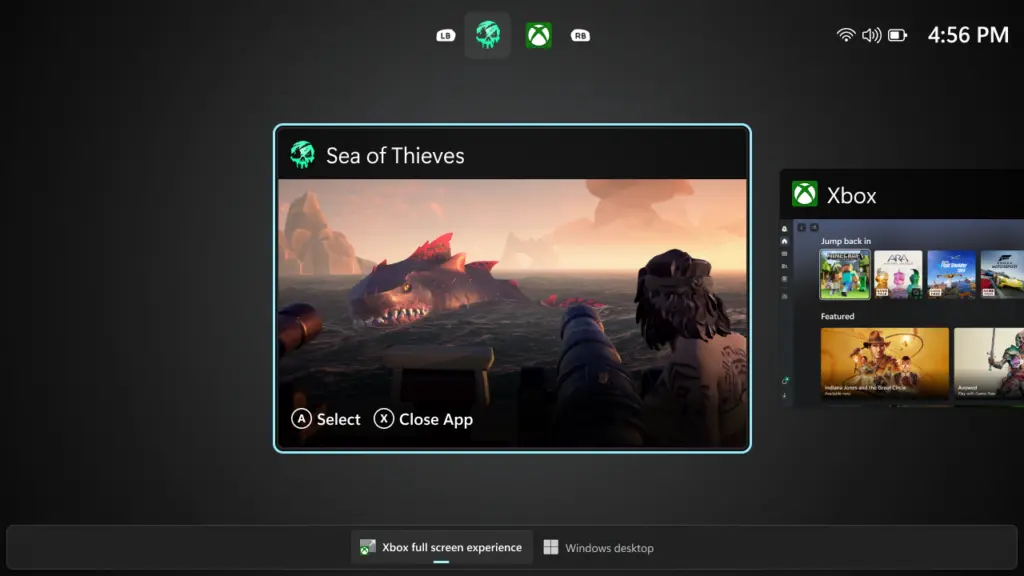
Introducing the Xbox Full Screen Experience (FSE) for PC
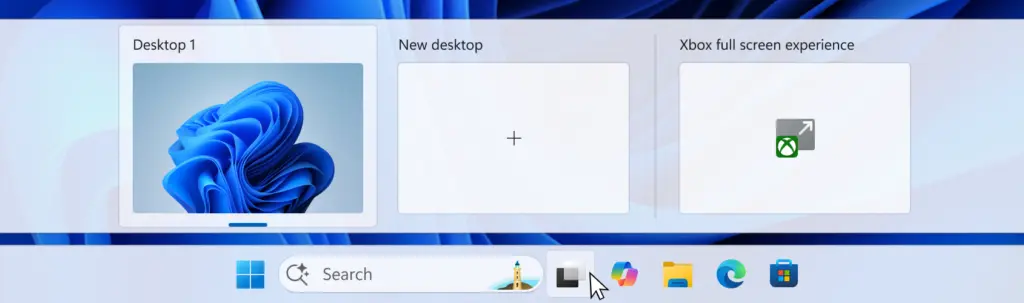
The Xbox full-screen experience, previously available on Windows handhelds, is now expanding its availability to additional Windows 11 PC form factors.
- Controller-First Design: Designed for console-style navigation, it provides a clean, distraction-free interface for controller-first gaming.
- Seamless Gaming: Pairing a controller to your PC allows for smooth task switching and a streamlined gaming experience across desktops, laptops, and tablets.
Point-in-Time Restore for Windows
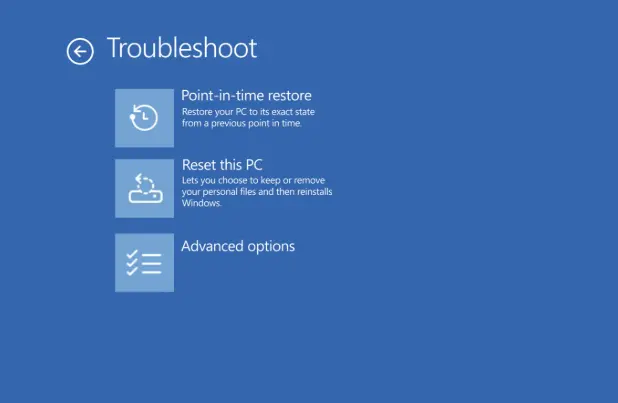
We are introducing a flexible new recovery feature that empowers you to quickly roll your device back to a previous, working state.
- Quick Recovery: Helps minimize downtime and simplify troubleshooting when system disruptions strike.
- Comprehensive Rollback: Recovers your entire system, including apps, settings, and user files.
Fluid Dictation in Voice Typing (NPU Devices)
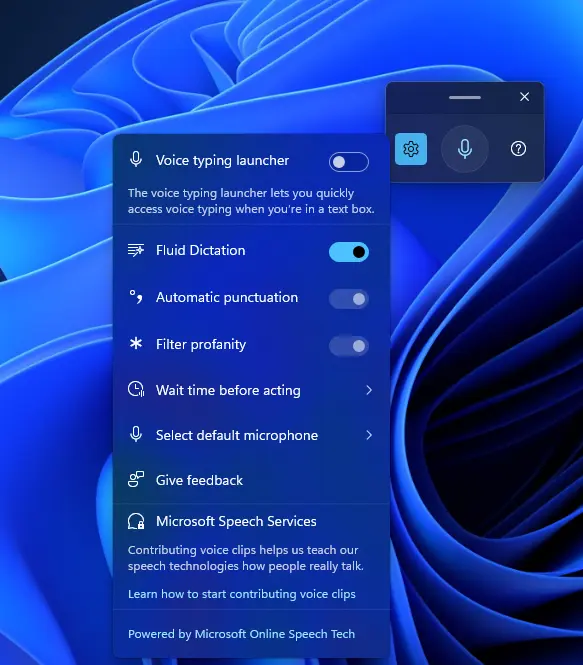
Following its introduction for voice access users, Fluid Dictation is now available for voice typing users on devices equipped with a Neural Processing Unit (NPU).
- Smarter Dictation: Makes voice-based dictation smoother and smarter.
- On-Device AI: Automatically corrects grammar, punctuation, and filler words as you speak, ensuring fast and private processing powered by on-device small language models (SLMs).
Changes and Improvements
File Explorer
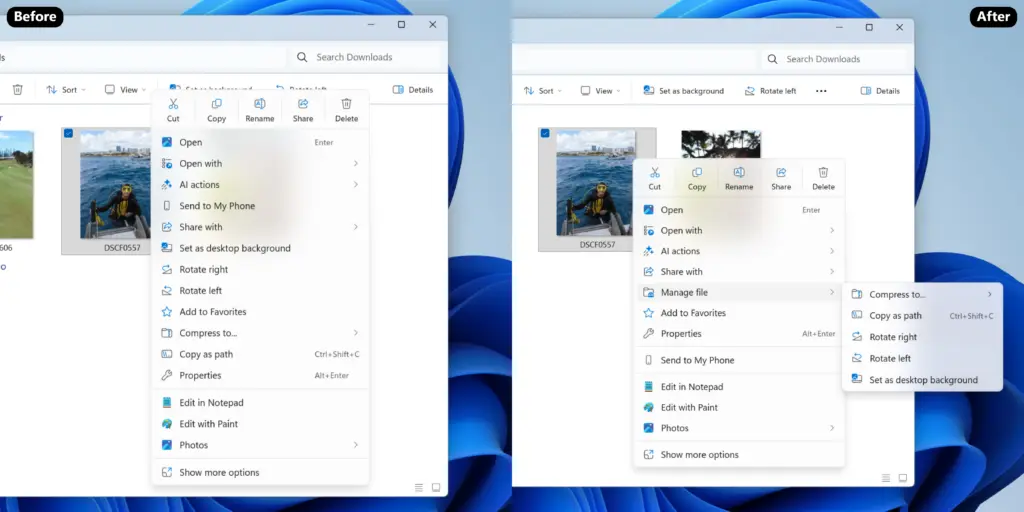
- Context Menu Refinements: We’re refining the context menu to reduce the space taken by less commonly used actions while keeping them accessible.
- Actions like “Zip,” “Copy as path,” and “Set as desktop background” have been moved to a new “File Management” pop-up menu.
- Cloud provider options like “Always keep on this device” and “Free up space” have been moved to their corresponding provider pop-up menu.
Fixes
- Taskbar and System Tray: Fixed an issue that could cause the taskbar to hang after receiving certain notifications.
- Network and Internet: Made underlying improvements to help address an issue that could lead to not having internet after resuming from disconnected standby.
- Display and Graphics: Fixed an issue where some games might incorrectly display an “Unsupported graphics card detected” message on supported hardware.
Explore the Latest World of Technology.
Android
cross-device
file-explorer
phone-link
photos-tab
tech-news
windows-android
automation
bash-scripting
command-line
cron-jobs
file-permissions
linux-skills
terminal
vim
android-2026
android-security
apk-install
developer-verification
experienced-user
foss
google-play
open-source
sideloading
appimage