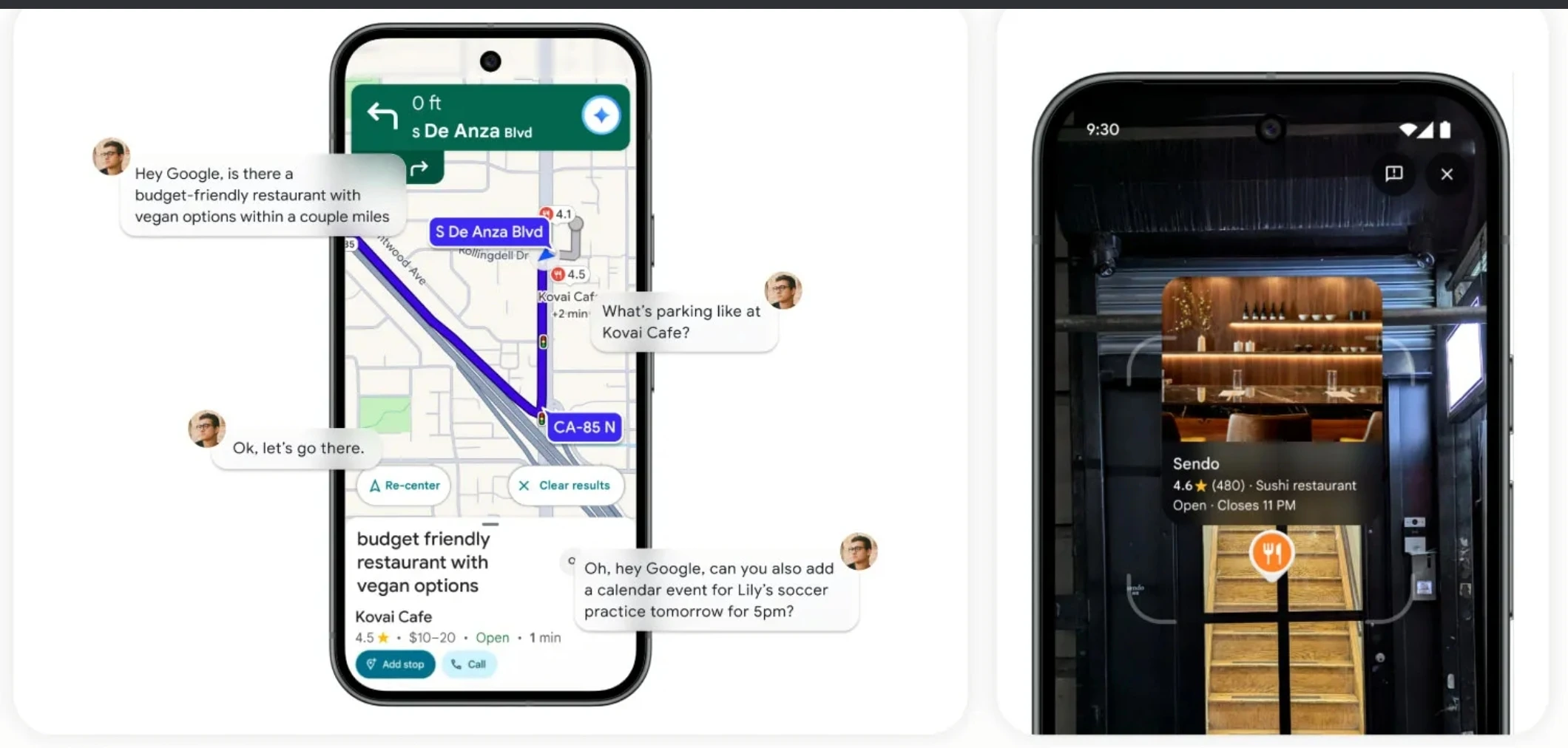
The era of “Hey Google” is getting a massive intelligence upgrade. Google Maps is reportedly rolling out Gemini support across all navigation modes, effectively replacing the legacy Google Assistant with its most advanced AI model for users on the go.
While Google announced earlier this month that Gemini would become the primary AI assistant in Maps, reports indicate that the feature is now officially live for a broader audience. Whether you are driving, walking, or riding a two-wheeler, your navigation companion just got significantly smarter.
A Smarter Co-Pilot for Every Mode
Previously limited to specific driving scenarios, the Gemini integration is now expanding to cover all navigation modes. This ensures a consistent, AI-powered experience whether you’re commuting to work or exploring a new city on foot.
According to recent reports, this rollout enables users to perform complex tasks without ever leaving the navigation screen. The goal is to create a hands-free experience that is conversational, intuitive, and less reliant on rigid voice commands.
Key Features of Gemini in Maps
The shift to Gemini isn’t just a rebrand—it brings the reasoning capabilities of Google’s LLM (Large Language Model) directly into your journey.
| Feature | What It Does |
|---|---|
| Natural Language Queries | No need for robotic phrases. You can speak naturally, like asking, “Is there a coffee shop along my route that isn’t too busy?” |
| Contextual Awareness | Gemini understands your precise location and route, offering suggestions relevant to where you are right now. |
| Smart Reporting | Drivers can report incidents using simple phrases like “I see an accident” or “Looks like there’s flooding ahead.” |
| App Integration | The AI connects with other Google services, allowing you to check your Calendar or add events automatically while navigating. |
How to Use Gemini in Google Maps
If the update has reached your device, accessing the new AI assistant is seamless. It uses your existing account preferences for voice and language, so no complex setup is required.
- Open Google Maps on your Android or iOS device.
- Start Navigation to your destination (Walking, Driving, or Cycling).
- Activate the Assistant by saying “Hey Google” or tapping the new microphone icon (which may feature the Gemini sparkle).
- Ask a Question: Try asking something complex, such as “Find a place to eat nearby that has parking.”
Why This Matters: The Agentic Shift
This update represents a broader shift in mobile technology toward Agentic AI. Instead of just answering questions, tools like Gemini are becoming active agents that can perform multi-step workflows—checking traffic, finding a venue, and adding it to your schedule—all in real-time.
For users, this means less time fumbling with phones and more time focused on the road or the path ahead. With Gemini Live capabilities also being integrated, we can expect even more fluid, back-and-forth conversations with our navigation apps in the near future. l
Explore the Latest World of Technology.
Android
cross-device
file-explorer
phone-link
photos-tab
tech-news
windows-android
automation
bash-scripting
command-line
cron-jobs
file-permissions
linux-skills
terminal
vim
android-2026
android-security
apk-install
developer-verification
experienced-user
foss
google-play
open-source
sideloading
appimage